Indiramma Illu Status Not Showing: Fix Guide 2026
If you applied for the Indiramma Illu scheme and your status is not showing, don’t worry. Many applicants face this issue because of website problems, incomplete data updates, verification delays, or incorrect details entered during status checking.
In this guide, you will learn why Indiramma Illu status is not showing and how to fix it step by step in 2026.

Why Is My Indiramma Illu Status Not Showing?
There can be several reasons why your application status is not appearing on the portal.
Common reasons include:
- Website server problems
- Heavy traffic on the portal
- Wrong Aadhaar/mobile/application number entered
- Your application is still under verification
- Data is not updated in the system
- Technical errors between databases
- Your survey verification is incomplete
The Indiramma Illu portal allows applicants to search their application using details like Aadhaar number, mobile number, application ID, or FSC number.
Quick Fix: Check Indiramma Illu Status Again
Before trying other solutions, follow these simple steps.
Step 1: Open the Official Portal
Visit the official Indiramma Illu website.
Go to the Application Search option.
Step 2: Select Your Search Method
You can usually search using:
- Aadhaar Number
- Registered Mobile Number
- Application ID
- FSC Number
Enter your details carefully.
Step 3: Check Your Details
Make sure:
✅ Aadhaar number is correct
✅ Mobile number matches your application
✅ Application ID has no spelling mistakes
✅ FSC number is entered correctly
A small mistake can prevent your status from appearing.Registration Process Explained: Indiramma Illu Registration Process Explained 2026
Common Problems and Solutions
1. Indiramma Illu Website Is Not Opening
Sometimes many people try checking their status at the same time, causing the website to load slowly or stop responding.
Solution:
Try:
- Checking during morning or late evening
- Clearing browser cache
- Using another browser
- Switching from mobile data to Wi-Fi
- Trying again after some time
2. Status Shows “No Record Found”
This is one of the most common issues.
Possible reasons:
- Your application data is not uploaded yet
- Your details do not match government records
- The application is still being processed
What You Should Do:
Check your application details again.
If the problem continues:
- Visit your nearest MeeSeva center
- Contact the local housing department office
- Submit a grievance with your application details
3. Indiramma Illu Status Showing Pending
If your status shows Pending, it usually means your application is still under review.
Verification may include:
- Document checking
- Field survey
- Eligibility verification
- Local authority approval
Do not submit a new application because your existing application may still be under processing.
4. Application Status Not Updated After Verification
Some applicants complete verification but still see old information online.
This can happen because:
- Field officer data is not synced yet
- Officials have not completed approval updates
- Portal updates happen in phases
Fix:
Keep your:
- Application receipt
- Aadhaar card
- FSC card
- Mobile number linked with application
Visit your local office if the delay continues.
5. Incorrect Mobile Number Problem
If your registered mobile number is wrong, you may not receive updates.
Solution:
Visit the concerned office and request correction of your application details.
Carry:
- Aadhaar card
- Application receipt
- Registered mobile details
Indiramma Illu Status Showing L1, L2, L3? Meaning
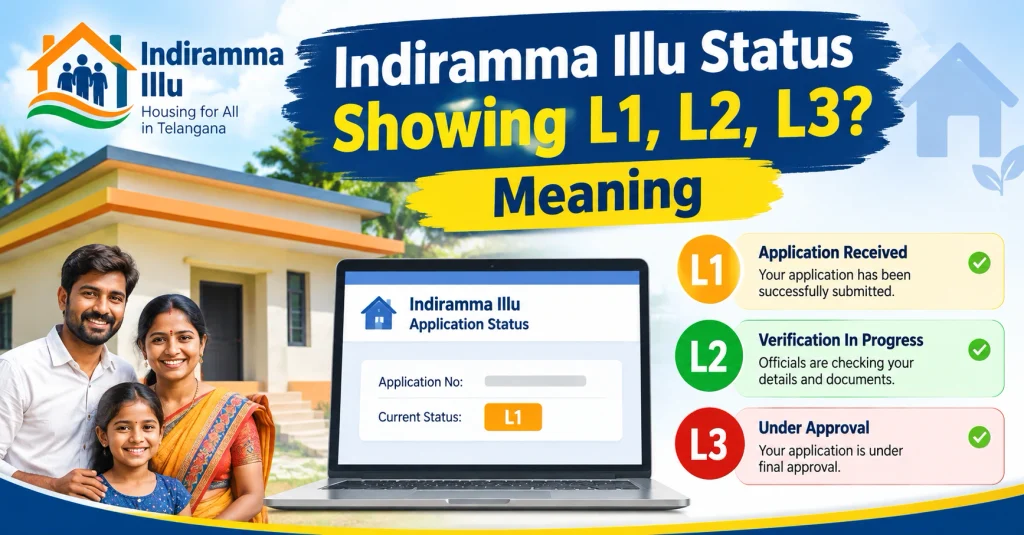
Many applicants see categories like L1, L2, and L3.
These indicate different verification or applicant categories used during processing.
Generally:
| Status | Meaning |
|---|---|
| L1 | Initial verification stage |
| L2 | Further checking/field verification |
| L3 | Advanced verification or final review |
If your application is showing one of these levels, it does not always mean rejection. It may simply mean your application is moving through the verification process.
What Documents Should You Keep Ready?
If you need help from officials, keep these documents:
- Aadhaar Card
- FSC/Ration Card
- Application receipt
- Registered mobile number
- Bank details
- Address proof
These documents can help officials verify your application faster.
How to Fix Indiramma Illu Portal Errors?
Try these simple troubleshooting steps:
Clear Browser Data
Old browser data can sometimes create loading issues.
Steps:
- Open browser settings
- Clear cache
- Restart browser
- Open portal again
Use Another Device
If the website is not working on mobile:
Try:
- Laptop
- Another phone
- Different internet connection
Avoid Peak Hours
Government portals often become slow when many users access them together.
Try checking:
- Early morning
- Late night
What To Do If Indiramma Illu Status Is Still Not Showing?
If nothing works, follow these steps:
Step 1:
Visit your nearest MeeSeva center.
Step 2:
Ask officials to check your application status.
Step 3:
Submit a grievance if your application details are missing.
Step 4:
Keep your complaint reference number safely.
Frequently Asked Questions (FAQ)
Why is my Indiramma Illu status not showing?
Your status may not appear because of incorrect details, server issues, pending verification, or delayed database updates.
How can I check Indiramma Illu application status?
You can check it through the official portal using Aadhaar number, mobile number, application ID, or FSC number.
What does pending status mean in Indiramma Illu?
Pending means your application is still being reviewed and has not reached the final decision stage.
Should I apply again if my status is not showing?
No. First verify your application details and contact the concerned office before submitting a new application.
How long does Indiramma Illu verification take?
The time depends on document verification, field inspection, and government processing schedules.
Final Words
If your Indiramma Illu status is not showing, there is usually no need to panic. Most issues happen because of technical problems, verification delays, or incorrect information.
First, check your details carefully. If the problem continues, visit MeeSeva or your local housing office with your documents.
Keep checking your application regularly because status updates may appear after verification is completed.