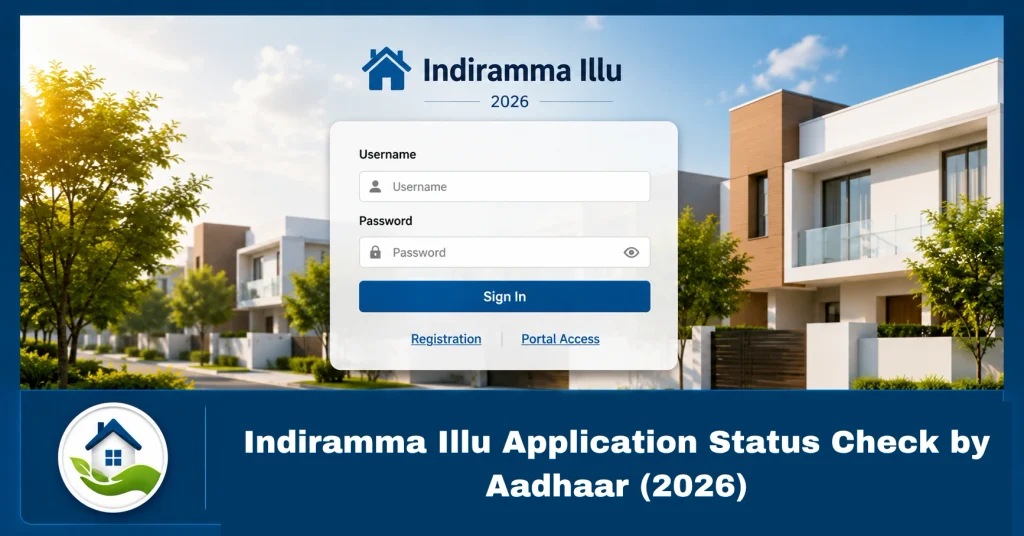
Indiramma Illu Application Status Check by Aadhaar (2026)
The Indiramma Illu scheme is a housing support program started by the Telangana Government to help eligible families build permanent houses. After submitting an application, many people want to know whether their form is approved, pending, or under verification.
The easiest way to track your application is through the online status check facility. Applicants can use their Aadhaar number, application ID, mobile number, or other available details to check updates.
In this guide, you will learn how to check Indiramma Illu Application Status by Aadhaar, what information is required, and what different status messages mean.
What Is Indiramma Illu Application Status Check?
The application status check service allows applicants to see the progress of their housing application online.
After applying for the scheme, your application goes through different steps such as:
- Document verification
- Eligibility checking
- Field verification
- Approval process
- Beneficiary selection
By checking your status regularly, you can know whether your application is moving forward or if any action is needed.
The scheme provides financial assistance to eligible families for house construction under government guidelines.
How to Check Indiramma Illu Application Status by Aadhaar Number?
You can check your Indiramma Illu status online by following these simple steps:
Step 1: Visit the Official Indiramma Illu Portal
Open the official Telangana housing scheme website on your mobile phone or computer.
Make sure you use the official government website to avoid incorrect information.Scheme Telangana: Indiramma Illu Scheme Telangana: Full Details Guide (2026)
Step 2: Open Application Search Option
On the homepage:
- Click on the “More” option.
- Select “Application Search”.
- Choose the Aadhaar search option.
The application search option allows users to find their submitted application details.
Step 3: Enter Your Aadhaar Number
Enter the Aadhaar number linked with your application.
Check the number carefully before submitting.
Step 4: Submit Details
Click on the search button.
Your application details and current status will appear on the screen.
Details Required for Indiramma Illu Status Check
To check your application status, keep these details ready:
- Aadhaar number
- Registered mobile number
- Application ID (if available)
- FSC number (Food Security Card number)
You may use any available detail depending on the search option provided on the portal.
Indiramma Illu Application Status Types Explained
After searching your application, you may see different status messages.
Pending
This means your application is submitted but verification or processing is still going on.
You do not need to submit a new application. Wait for further updates.
Under Verification
Your details are being checked by officials.
The verification process may include document checking and local inspection.
Approved
This means your application has successfully passed the required checks.
Further steps will be updated according to government procedures.
Rejected
If your application is rejected, check the reason shown on the portal.
Common reasons may include:
- Incorrect information
- Missing documents
- Eligibility issues
- Duplicate applications
How to Check Indiramma Illu Beneficiary List?
Apart from checking your application status, you can also check the beneficiary list.
Follow these steps:
- Visit the official portal.
- Open the beneficiary list section.
- Select your district, mandal, and village.
- Search your name in the available list.
The beneficiary list helps applicants confirm whether their name has been selected under the scheme.
What to Do If Indiramma Illu Status Is Not Showing?
Sometimes applicants may not see their status online.
Try these solutions:
Check Aadhaar Details
Make sure you entered the correct Aadhaar number linked with your application.
Check Application ID
If you have an application number, try searching with that instead.
Wait for Updates
New applications may take time to appear after submission.
Contact Local Officials
If the problem continues, visit your nearest Gram Panchayat, municipal office, or housing department office.
Documents Needed for Indiramma Illu Scheme
Applicants should keep important documents ready, including:
- Aadhaar card
- Mobile number
- Bank account details
- Address proof
- Income-related documents
- Application acknowledgment details
Having correct documents helps avoid delays during verification.
Tips for Checking Indiramma Illu Status Online
Follow these simple tips:
- Always use the official website.
- Do not share your Aadhaar number with unknown websites.
- Keep your application receipt safe.
- Check status updates regularly.
- Use the same details provided during application submission.
Frequently Asked Questions (FAQs)
How can I check Indiramma Illu application status by Aadhaar?
You can check your status by visiting the official Indiramma Illu portal and using the Application Search option with your Aadhaar number or other available details.
Is Aadhaar mandatory for checking Indiramma Illu status?
Aadhaar is one of the available options for searching your application. You may also use other details like application ID or registered mobile number if available.
Why is my Indiramma Illu status showing pending?
A pending status usually means your application is still under review or verification. Wait for the official update.
Can I check Indiramma Illu status on mobile?
Yes, you can open the official portal using your mobile browser and check your application status online.
What should I do if my application is rejected?
Check the rejection reason and contact the concerned office for guidance on correction or further steps.
Conclusion
Checking your Indiramma Illu Application Status by Aadhaar is a simple process that can be completed online. By using the Application Search option, applicants can track their housing application progress without visiting government offices.
Always verify information through official government sources and keep your application details safe. Regular status checks can help you stay updated about approval, verification, and beneficiary selection.