Indiramma Illu Status Check Online: Complete Guide
If you have applied for the Indiramma Illu Housing Scheme in Telangana and want to know whether your application is approved, pending, or rejected, you can check your status online easily. The status check facility helps applicants track their housing application without visiting government offices repeatedly.
The Indiramma Illu Scheme was launched by the Telangana government to provide housing support to eligible low-income families and help them build permanent houses. Under the scheme, eligible beneficiaries can receive financial assistance for house construction, and applicants can track their application progress through online services.
This guide explains how to check Indiramma Illu status online, required details, status meanings, common problems, and helpful tips.
What Is Indiramma Illu Status Check?
Indiramma Illu status check is an online facility that allows applicants to know the current stage of their housing application. After submitting an application, the government verifies details such as eligibility, documents, and beneficiary information before approval.
By checking the status, applicants can find out:
- Whether their application is submitted successfully
- Whether verification is completed
- Whether their name is included in the beneficiary list
- Whether financial assistance approval is processed
- Whether any correction is required
The Telangana Housing Corporation supports housing-related programs and provides financial and technical assistance for permanent housing projects.
How to Check Indiramma Illu Status Online?
You can check your Indiramma Illu application status online by following these simple steps:
Step 1: Visit the Official Indiramma Illu Portal
Open the official Telangana housing scheme website on your mobile phone or computer.
Step 2: Select Application Search Option
On the homepage, find the Application Search option. This section allows applicants to check their submitted application details.
Step 3: Enter Your Details
Depending on the available option, you may need to provide details such as:
- Aadhaar number
- Mobile number
- Application ID
- Other registered details
Make sure the information entered matches your application records.
Step 4: Submit and View Status
After entering details, click on the search button. Your Indiramma Illu application details and current status will appear on the screen.
Details Required for Indiramma Illu Status Check
Before checking your application status, keep these details ready:
- Aadhaar number linked with the application
- Registered mobile number
- Application reference number (if available)
- Ration card or identification details
- Internet connection and mobile device
Keeping these details ready saves time and avoids errors during the search process.
Indiramma Illu Status Meaning Explained
After checking your application, you may see different status updates. Here is what they usually mean:
Application Submitted
This means your application has been received successfully and is waiting for further verification.
Under Verification
Your details are being checked by officials. They may verify documents, eligibility, and housing conditions.
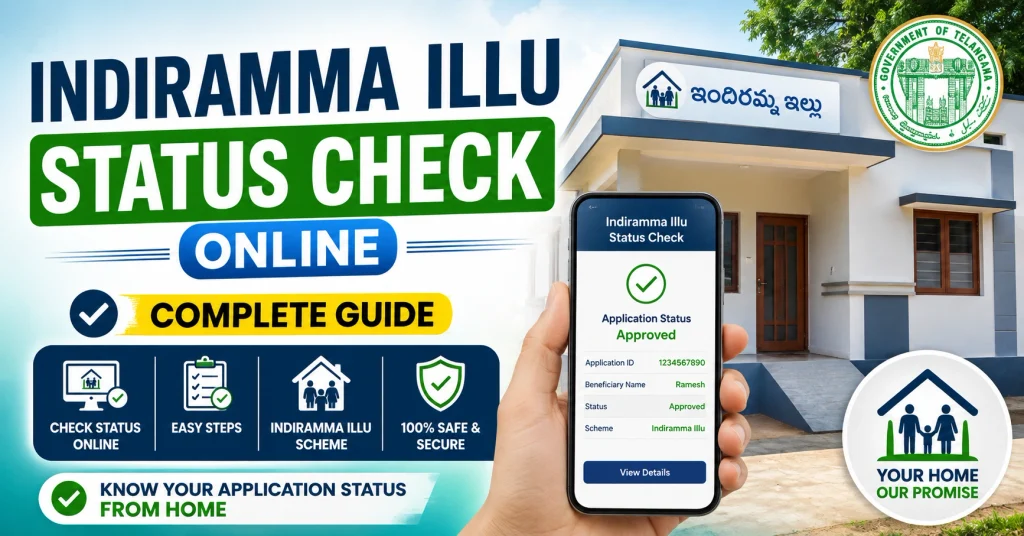
Approved
Your application has been accepted, and you may receive further updates about house construction assistance.
Pending
A pending status usually means the verification or approval process is not completed yet.
Rejected
Your application may have issues such as incorrect information, missing documents, or eligibility problems.
Why Is My Indiramma Illu Status Showing Pending?
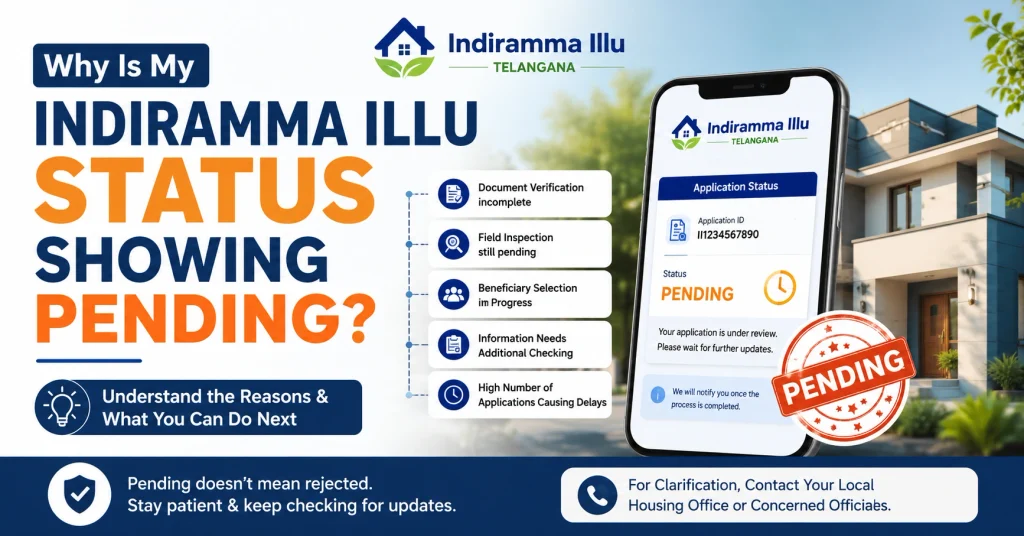
Many applicants see a pending status and worry about rejection. However, pending does not always mean your application is cancelled.
Common reasons include:
- Document verification is incomplete
- Field inspection is still pending
- Beneficiary selection process is ongoing
- Information needs additional checking
- High number of applications causing delays
If your status remains pending for a long time, contact your local housing office or concerned officials for clarification.
How to Check Indiramma Illu Beneficiary List?
Apart from checking individual status, applicants can also verify whether their name appears in the beneficiary list.
The general process includes:
- Visit the housing scheme portal
- Select beneficiary list or application search option
- Choose district and local details
- Search your name or application information
District-wise beneficiary lists help applicants confirm their selection under the scheme.
Can I Check Indiramma Illu Status Through Aadhaar?
Yes, applicants may be able to search their application using Aadhaar details if their Aadhaar information is linked with the submitted application.
Make sure:
- Aadhaar details are correct
- Mobile number is updated
- Application information matches government records
If Aadhaar details do not work, try another available search option or contact the local office.
What To Do If Indiramma Illu Status Is Not Showing?
Sometimes applicants face problems while checking their status online.
Try these solutions:
- Check your internet connection
- Enter details carefully
- Confirm Aadhaar or application number
- Try again after some time
- Visit the nearest government office if the issue continues
Online portals can sometimes experience technical issues due to heavy traffic.
What Happens After Indiramma Illu Approval?
After approval, beneficiaries generally receive further instructions related to house construction and financial assistance.
The process may include:
- Verification completion
- Approval confirmation
- Construction-related updates
- Release of assistance according to scheme rules
Financial support under the scheme is intended to help eligible families construct permanent houses.
Tips to Avoid Indiramma Illu Application Problems
Follow these simple tips:
- Keep your Aadhaar and mobile number updated
- Save your application acknowledgement details
- Check status regularly
- Keep copies of submitted documents
- Report incorrect information quickly
- Contact officials if your status does not change for a long time
Small mistakes in documents or personal details can delay approval.
Frequently Asked Questions
How can I check Indiramma Illu status online?
You can check your status by visiting the official housing portal and using the application search option with your registered details.
Which details are needed for Indiramma Illu status check?
Applicants generally need Aadhaar number, mobile number, or application-related details to search their status.
Why is my Indiramma Illu application pending?
Pending status may appear because verification, approval, or beneficiary selection is still in progress.
How do I know if my name is selected for Indiramma Illu?
You can check the beneficiary list or search your application details online to confirm selection.
What should I do if my Indiramma Illu application is rejected?
Check the rejection reason, correct missing information if possible, and contact the concerned office for guidance.
Can landless families get benefits under Indiramma Illu?
Eligibility depends on the latest government guidelines and beneficiary selection rules.
Is there any fee for checking Indiramma Illu status?
No, checking application status online is generally provided as a free service.
How often should I check my Indiramma Illu status?
Checking once in a while is enough. Frequent checking does not speed up approval.
Can I update my application details after submission?
Updates depend on government rules and available correction options.
Where can I get help for Indiramma Illu status problems?
You can contact your local housing office, Gram Panchayat, or concerned Telangana housing authorities.
Final Words
The Indiramma Illu Status Check Online facility makes it easier for Telangana residents to track their housing applications without unnecessary visits to government offices. By checking your status regularly, keeping documents ready, and correcting any issues quickly, you can stay updated about your application progress.
If your application shows pending, there is no need to worry immediately because verification and approval can take time. Always rely on official updates and keep your application details safe for future reference.